Blog

  • How to Identify a Freelance Service You Can Offer as a Beginner

    How to Identify a Freelance Service You Can Offer as a Beginner

    Have you ever thought about freelancing but wondered what service you could offer? Perhaps you have experience organizing information, writing, designing, communicating with people, or helping others solve problems. You may have useful skills without realizing that someone could benefit from them.

    Freelancing allows you to offer your skills and services to clients on project or contract basis. You don’t need to be expert in everything to begin exploring it. What matters is identifying what you can do, understanding what potential clients need, and being willing to improve your skills.

    In this guide, you will learn how to identify a freelance service you can offer as a beginner, assess your existing abilities, and choose a practical next step towards getting started.

    1. Start by Identifying the Skills You Already Have

    Before deciding which freelance service to offer, take some time to identify the skills, knowledge, and experience you already have. You may have developed useful abilities through your job, education, hobbies, volunteer work, or everyday responsibilities.

    For example:

    • Writing and communication: You may be able to write clear emails, proofread documents, prepare reports, or communicate professionally with customers.
    • Organizing and administration: You may be good at organizing files, managing schedules, entering data, or keeping records.
    • Design and creativity: You may enjoy creating invitations, flyers, social media graphics, or simple promotional materials using Canva
    • Research and problem-solving: You may know how to gather information, compare options, organize findings, or help people make informed decisions.
    • Teaching and support: You may be good at explaining concepts, tutoring beginners, preparing learning materials, or helping others use digital tools.

    These are examples of abilities that can be developed into services. However, having an interest in something doesn’t automatically mean you are ready to sell it. Consider what you can do reliably today and where you need more practice.

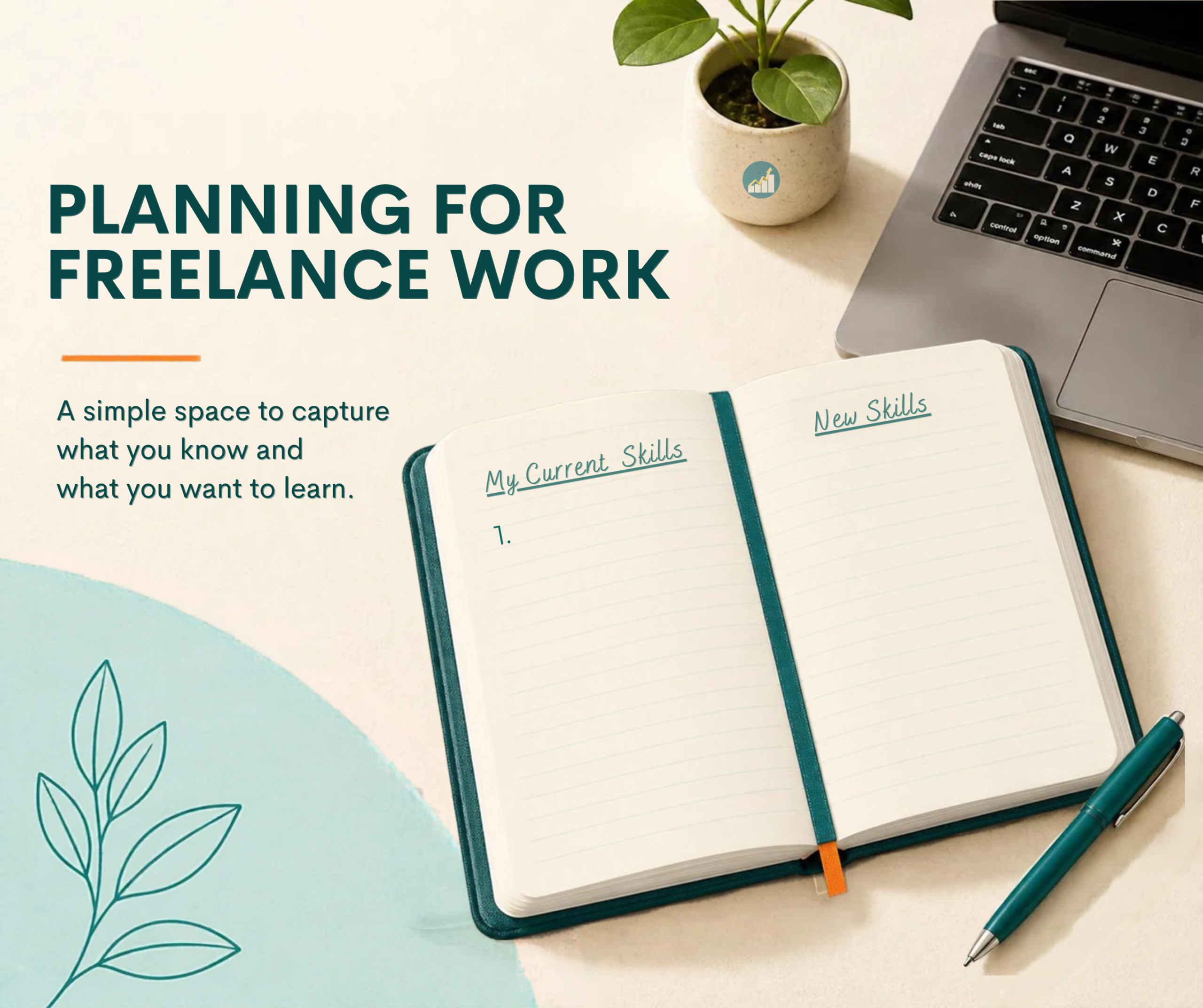
    A simple exercise: Write down five things you can do reasonably well. Include skills you use at work, tasks people often ask you to help with, and activities you have learned through personal experience. Don’t worry about choosing a freelance service yet. First, understand what you bring to the table.

    2. Identify Problems You Can Help People Solve

    Knowing your skills is a good starting point, but the next step is to consider how you could use them to help other people. Clients generally pay for services that meet a need, save time, solve a problem, or help them achieve a goal.

    For example:

    • If you are good at organizing information, you could explore offering data entry or spreadsheet organization services.
    • If you enjoy writing and have strong writing skills, you could consider proofreading, editing, or preparing simple business documents.
    • if you have basic design skills, you could create flyers, invitations, or social media graphics for individuals and small businesses.
    • If you are comfortable with administrative tasks, you could explore virtual assistance, such as managing appointments, organizing files, or handling routine email tasks.
    • If you are skilled at research, you could offer services such as gathering information, compiling contact lists from appropriate public sources, or preparing simple research summaries.

    These are possible starting points, not guaranteed opportunities. Each service requires its own level of skills, and clients may have specific expectations.

    to narrow your options, ask yourself three questions:

    1. What problem can I help someone solve?
    2. Who might need this service?
    3. Can I deliver the service reliably, or do I need more practice first?

    For example, a small business owner may need help creating simple social graphics but may not have the time to make them. If you can create clear, attractive designs using Canva, this could be a service worth exploring.

    The goal is to connect what you can do with a real need – not simply to choose a service because it sounds popular.

    3. Choose a Service You Can Start Developing Now

    Once you have identified your skills and considered the problems you could help solve, narrow your options to one service you can realistically develop and offer.

    You don’t have to offer everything you know to do. Starting with one clear service makes it easier to practice, explain what you offer, and show potential clients what they can expect.

    Consider these three factors when choosing your services:

    Your current skill level: Choose something you can deliver reliably or can become ready to deliver with focused practice. If you need to improve, identify the specific skills you must develop before accepting paid work.

    Your available time and resources: Consider the time you can commit, the tools you need, and whether you have reliable access to them. For example, some administrative services may require a computer, internet access, and familiarity with common office applications.

    Your interest and willingness to learn: Freelancing requires practice, patience, communication, and continued learning. Choose a service you are willing to improve rather than one you are interested in only because you heard it can be profitable.

    Foe example, if you enjoy organizing information and are comfortable using Microsoft Excel, you might begin by practicing how to format spreadsheets and organize simple records. Once you can deliver this work accurately and consistently, you can explore whether spreadsheet organization is a suitable service to offer.

    Try this exercise: Review the five skills you listed earlier. Choose the one you feel most confident using, then write down one specific service you could develop from it. You can keep your other ideas for later.

    Remember, your first choice doesn’t have to define your entire freelance career. You can start with one service, gain experience, and expand your offerings as your skills grow.

    4. Research the Demand for Your Service

    Identifying a service you can offer is an important first step. However, you also need to find out whether people or businesses many be willing to pay for it.

    You don’t need expensive research tools to begin. Start by gathering information from sources you can access.

    Look at businesses around you. Think about small businesses, entrepreneurs, professionals, and community organizations that might need your services. For example, a small business may need help preparing promotional flyers, organizing records, or managing routin administrative tasks.

    Explore freelance platforms. Browse platforms such as Upwork and Fiverr to see how freelancers describe similar services, what clients request, and which skills or tools appear in service listings. Treat listings as clues about potential demand, not proof that you will get work.

    Observe questions and requests. Pay attention to the problems people discuss in relevant professional groups, business communities, and online forums. Look for recurring needs that your skills could help address. Follow group rules and respect people’s privacy when conducting your research.

    Speak with potential clients. If possible, ask a few business owners or professionals about the tasks they find difficult, time-consuming, or expensive. Listen carefully rather than assuming you already know what they need.

    As you research, record what you discover. Note the service, the type of client who might need it, the problem it solves, and any skills or tools required to deliver it.

    Remember that see similar services online doesn’t guarantee that there is enough demand in your target market. Research helps you make a more informed decision before committing your time and resources.

    5. Practice Your Skills and Create a Sample

    Before approaching a potential client, take time to practice your chosen service and prepare a sample that demonstrates what you cand do.

    A work sample gives potential clients a clearer idea of your abilities. You don’t necessarily need previous freelance clients to create one. You can develop a sample using a fictional business, a practice project, or a task based on a realistic situation. Clearly identify practice work as a sample rather than presenting it as paid client work.

    Here are a few examples:

    • Canva design: Create a promotional flyer or a set of social media graphics for a fictional small business.
    • Microsoft Excel: Prepare a sample expense tracker or sales spreadsheet using fictional data.
    • Writing and editing: Writing a sample business introduction, proofread a short document, or prepare a clear, professional email.
    • Virtual assistance: Create a sample weekly schedule, organize fictional records, or prepare a simple task-tracking spreadsheet.

    As you practice, focus on accuracy, presentation, and meeting the requirements of the task. Ask someone you trust to review your work, or compare it against reliable examples and professional standards.

    You can gradually build a small portfolio containing your best samples. A portfolio helps you demonstrate your skills when explaining your services to potential clients.

    You don’t need a large portfolio to begin. One or two relevant, well-prepared samples can be useful starting points while you continue developing your abilities.

    Your next action: Choose one sample project you can complete with the tools available to you. Set a realistic deadline and focus on producing work that demonstrates the service you want to offer.

    6. Take Your First Step and Keep Learning

    Once you have chosen a service, researched potential demand, and practiced your skill, you can begin exploring ways to find your first clients.

    Start with a manageable approach that suits your circumstances.

    • Tell people what you offer. Explain your services clearly to people in your professional network or community who may know someone who needs it. Avoid spamming people or sending unsolicited messages repeatedly.
    • Build a simple portfolio. Organize your best work samples so potential clients can understand what you can do.
    • Explore suitable freelance platforms. Review the requirements, fees, competition, and safety guidelines of any pltaform before investing your time or money.
    • Communicate professionally. Learn how to understand a client’s requirements, agree on the scope of work, discuss deadlines, and confirm payment terms before starting a project.
    • Ask for feedback and improve. Review what you learn from practice projects, client conversations, and unsuccessful attempts. Use that information to strengthen your skills and refine your service.

    You may not find a client immediately, and your first service idea may need adjustments. That is part of the learning process. Pay attention to feedback, identify areas for improvement, and keep building your experience.

    Be cautious of offers that promise guaranteed income or require you to pay suspicious upfront fees to access work. Research opportunities carefully and protect your personal and financial information.

    The goal is not to rush into freelancing. It is to build the skills, confidence, and practical preparation that will help you pursue suitable opportunities more effectively.

    Conclusion: Start with What You Know

    Identify a freelance service you can offer as a beginner start with understanding your existing skills, recognizing how you can help others, and choosing a service you can develop and deliver reliably.

    You don’t need to have everything figured out before you begin. Take time to research potential demand, practice your skills, create a sample of your work, and learn how to communicate the value of your service to potential clients.

    Remember, freelancing is a process of learning and improvement. Your first service many change as you gain experience, discover new opportunities, and develop your abilities.

    Your next step: Write down five skills you already have, choose one that could solve a problem for someone else, and identify a small project that you can practice this week. start where you are, use the resources available to you, and build your skills one step at a time.

    At Jobaddoo, we’re her to help you learn practical skills, explore opportunities, and take confident steps towards working for yourself.

    Ready to build your skills? Explore more practical guides on Jobaddoo to help you develop your abilities and prepare for freelancing.
  • How to Identify the Right Career Path: A Beginner’s Guide

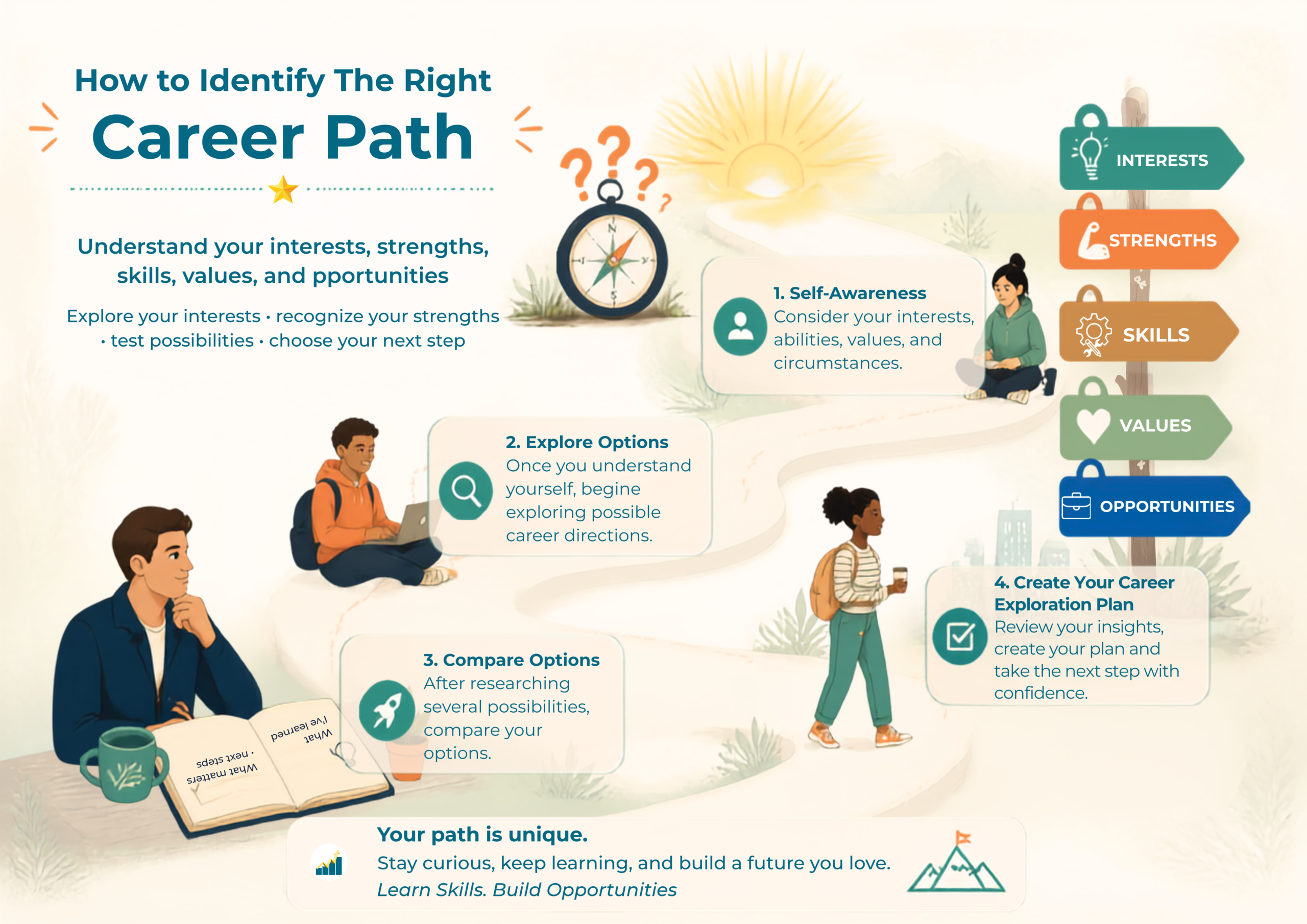
    How to Identify the Right Career Path: A Beginner’s Guide

    Choosing a career path can feel overwhelming, especially when you have many interests, different skills, or no clear idea of what you want to do next. Your may have completed your education, gained come work experience, or be considering a career change and still wonder, “What career is right for me?”

    The good news is that you don’t have to figure out your entire career at once. Career direction can develop as you learn more about yourself, explore different opportunities, develop useful skills, and gain experience.

    This guide will help you to begin that process by looking at your interests, strengths, skills, value, and opportunities. You will also complete practical activities to help you identify possible career directions and decide what you can explore next.

    What You’ll Learn

    By the end of this guide, you will be able to:

    • Identify some of your interests and strengths.
    • Recognize skills you already have and skills you may need to develop.
    • Consider your values when exploring career opportunities.
    • Research careers that match your interests and abilities.
    • Compare possible career directions.
    • Create a simple action plan for exploring your next step.

    1. Start With Self-Awareness

    Before searching for the “perfect” career, start by understanding yourself.

    Your career choice should not be based only on what is popular, what other people expect from you, or what appears to pay well. Those factors can matter, but your interests, abilities, values, and circumstances should also be considered.

    Start by asking yourself:

    • What activities do I enjoy?
    • What subjects or topics naturally interests me?
    • What do people often ask me to help them with?
    • What tasks do I learn quickly?
    • What kind of problems do I enjoy solving?
    • Do I prefer working with people, information, technology, ideas, or practical tasks?
    • What kind of work environment would suit me?

    You don’t need perfect answers. The purpose of these questions is to begin noticing patterns.

    Practical Activity: Your Interest List

    Write down five activities or subjects that genuinely interest you.

    Don’t think only about formal career subjects.

    For example:

    • Teaching
    • Cooking
    • Technology
    • Working with numbers
    • Organizing events
    • Writing
    • Helping people solve problems
    • Designing things
    • Working with children
    • Starting a business

    Look for patterns in your list.

    2. Identify Your Strengths

    Your strengths are abilities or qualities that help you perform effectively.

    Some strengths are technical, while others are personal or transferable.

    For example:

    Technical strengths

    • Microsoft Excel
    • Graphic design
    • Accounting
    • Data analysis
    • Writing
    • Programming

    Transferable strengths

    • Communication
    • Organization
    • Problem-solving
    • Leadership
    • Teamwork
    • Creativity
    • Time management

    You may have strengths that you take for granted because they come naturally to you.

    Think about situations where you have received positive feedback or successfully completed something difficult.

    Ask yourself

    “What am I already good at?”

    Practical Activity: Your Strength List

    Write down five strengths you believe you already have.

    Then choose one person who knows you well and ask:

    “What do you think I do particularly well?”

    Compare their response with your own list.

    You may discover strengths you had not recognized.

    3. Understand Your Skills

    Strengths and skills are related, but they aren’t exactly the same.

    A skill is something you can learn, practice, and improve.

    For example, you may have a natural strength in organization, while project management is a skill you can develop through learning and practice.

    Create three lists:

    Skills I Already Have

    List skills you can currently demonstrate.

    Skills I Am Developing

    List skills you are currently learning or practicing

    Skills I May Need

    List skills that could help you move toward a career direction you are considering.

    This simple exercise can help you see the difference between where you are now and where you may need to grow.

    4. Consider Your Values

    Career choices aren’t only about skills and salary.

    Your values also matter.

    For example, you may value:

    • Flexibility
    • Financial security
    • Creativity
    • Helping others
    • Independence
    • Stability
    • Leadership
    • Family time
    • Continuous learning
    • Making a difference

    Understanding your values can help you identify work environments and career options that are more likely to suit you.

    For example, someone who strongly values flexibility may want to explore careers that allow remote or flexible working arrangements.

    Someone who values helping people may find meaning in careers involving teaching, counseling, healthcare, customer service, community development, or other service-oriented roles.

    Your values don’t automatically determine your career, but they can help you make better-informed choices.

    Explore Career Options

    Once you understand more about your interests, strengths, skills, and values, begin exploring possible career directions.

    Don’t limit yourself to the first career that comes to mind.

    Choose three to five possibilities and research them.

    For each career, find out:

    • What does someone in this career actually do?
    • What skills are required?
    • What qualifications are commonly expected?
    • What does a typical work day look like?
    • What type of organizations hire people in this field?
    • What opportunities exist for growth?
    • Can the work be done remotely or internationally?
    • What challenges might someone in this career face?

    This is where research becomes important.

    Don’t choose a career based only on it’s title.

    Try to understand the work involved.

    Remember, this is not your entry-level work. It is about your future.

    6. Compare Your Options

    After researching several possibilities, compare them.

    You could create a simple table with these headings:

    Career OptionMy InterestMy Current SkillsSkills I NeedOpportunitiesQuestions I Still Have
    Career 1High/Medium/LowStrong/Some/LittleList SkillsResearchQuestions
    Career 2High/Medium/LowStrong/Some/LittleList skills
    ResearchQuestions
    Career 3High/Medium/LowStrong/Some/LittleList SkillsResearchQuestions

    You don’t need to find an option that scores perfectly in every category.

    The purpose is to help you compare your options more intentionally.

    7. Talk to people With Experience

    Research can tell you a lot, but conversations can reveal things that aren’t obvious from websites or job descriptions.

    If possible, talk to people who currently work in careers you’re considering.

    Ask questions such as:

    • How did you get started?
    • What do you enjoy most about the work?
    • What is challenging?
    • Which skills are most important?
    • What do you wish you had known when you were starting?
    • What would you recommend someone to learn first?

    You don’t need to know the person personally.

    You might find people through professional networks, community organizations, alumni groups, events, or online professional communities.

    Test Before You Commit

    You don’t always need to make a major commitment before discovering whether a career interests you.

    Look for small ways to test your interest.

    You could:

    • Take an introductory course.
    • Volunteer.
    • Complete a small project.
    • Shadow someone.
    • Attend a professional event.
    • Join a relevant community.
    • Offer your skills on a small project.
    • Read books or articles about the field.
    • Interview someone working in the career.

    These experiences can help you move from:

    “I think I might like this career.”

    to:

    “I’ve experienced some of the work, and now I have a better idea of whether it suits me or not.”

    Create Your Career Exploration Plan

    You don’t need to decide your entire future in one day.

    Instead, choose one career direction you want to explore futher.

    Then create a simple 30-day plan.

    My Career Exploration Plan

    Jobaddoo: My Career Exploration Plan

    Give yourself 30 days to explore rather than expecting yourself to have everything figured out immediately.

    Remember: Your First Choice Doesn’t Have to Be Your Final Choice.

    One of the biggest sources of pressure when choosing a career is the belief that you must make the perfect decision.

    You don’t.

    Your career can develop through exploration, learning, experience, and change. You can learn more about building your professional future in our Career Development guide.

    A decision that seems right today may lead to a different opportunity tomorrow. That’s not necessarily failure. It can be part of discovering what works for you.

    Instead of asking only:

    “What career should I choose?”

    Try asking:

    “What career direction is worth exploring next?”

    The second question can feel much more manageable.

    Your Next Step

    Take out a notebook or open a document and complete the Career Exploration Plan above.

    Don’t try to figure out your entire career today.

    Choose one direction.

    Research it.

    Talk to someone.

    Learn a relevant skill.

    Try something practical.

    Then evaluate what you discover.

    Your career journey doesn’t have to begin with having all the answers. It can begin with taking one informed step.

    Your path is unique.

    Stay curious, keep learning, and build a future you love.

    Learn skills. Build opportunities.

  • Self-Development: Small Steps Towards a Better You

    Self-Development: Small Steps Towards a Better You

    Self-development is the ongoing progress of becoming more of yourself, developing your skills, improving your habits, and intentionally working toward the person you want to become.

    It doesn’t require changing everything about yourself. And where you need to change, in many cases, meaningful growth begins with small, consistent changes.

    What Is Self-Development?

    Self-development involves intentionally working on areas of your life that can help you grow personally and professionally.

    These areas may include:

    • Self-awareness
    • Communication
    • Time management
    • Confidence
    • Emotional resilience
    • Learning
    • Healthy habits
    • Goal setting
    • Problem-solving
    • Relationships

    Self-development is personal. What one person needs to work on may be very different from what another person needs.

    The goal is not to become someone else. It is to understand yourself better and develop your potential.

    Why Self-Development Matters

    Personal growth can influence many areas of life.

    It Builds Self-Awareness

    Before you can make meaningful changes, you need to understand where you are.

    Ask yourself:

    • What are my strengths?
    • What habits help me?
    • What habits hold me back?
    • What situations make me uncomfortable?
    • What do I want to improve?
    • What matters most to me?

    Honest reflection can help you identify areas where small changes could make a meaningful diffeerence.

    2. It Helps You Build Confidence

    Confidence often develops through experience.

    Instead of waiting until you feel completely confident, start with manageable challenges.

    Learn something new. Practice it. Make mistakes. Improve. Try again. Each complete step gives you confidence that you are capable of learning and growing.

    3. It Improves Your Ability to Adapt

    Life rarely follows a perfect plan.

    New responsibilities, unexpected challenges, changing workplaces, and new opportunities can require you to adjust.

    Developing skills such as problem-solving, communication, learning, and time management can make it easier to respond constructively when circumstances change.

    Five Areas to Focus On

    You don’t need to work on everything at once. Start with one or two areas that matter most to you.

    1. Self-Awareness

    Take time to understand your strengths, weaknesses, interests, values, and patterns of behavior.

    Keep a journal, reflect on your experiences, or ask trusted people for constructive feedback.

    2. Learning

    Make learning part of your regular routine

    You could:

    • Read a few pages each day
    • Take an online course
    • Learn a new digital skill
    • Practice a professional skill
    • Watch an educational lesson
    • Work on a personal project
    • The goal is consistency rather than trying to learn everything at once.

    3. Time Management

    Your time is limited, so learning how to use it intentionally is an important part of personal development.

    Start by identifying where your time goes.

    Then ask:

    “Am I spending enough time on the things that matter most to me?”

    Simple practices such as prioritizing tasks, setting realistic goals, and reducing unnecessary distractions can help.

    4. Communication

    Good communication can strengthen relationships and improve your effectiveness at work, school, and in everyday life.

    Practice:

    • Listening carefully
    • Asking clear questions
    • Expressing your ideas respectively
    • Giving constructive feedback
    • Writing clearly
    • Considering the other person’s perspective

    Communication is a skill that can improve with practice.

    5. Personal Goals

    Goals give your efforts direction.

    Instead of creating a long list of things you want to change, choose one meaningful goal.

    Example:

    “I will spend 20 minutes each week learning excel for the next 30 days.”

    A specific goal is easier to act on and evaluate than a vague intention such as “I want to improve my computer skill.”

    The Power of Small Habits

    One of the biggest mistakes people make with self-development is trying to change too much too quickly.

    A better approach is to start small.

    Instead of :

    “I will read for two hours every day.

    Try:

    “I will read for 15 minutes before bed.

    Instead of:

    “I will completely organize my life.”

    Try:

    “I will plan tomorrow’s three most important tasks before I finish work today.”

    Small actions may seem insignificant, but repeated consistently, they can become habits.

    A Simple Self-Development Framework

    Try this four-step approach:

    Reflect

    Ask yourself:

    “Where am I now?“

    Identify your strengths, challenges, habits, and current priorities.

    Choose

    Ask:

    “What is one area I want to improve?“

    Choose one area rather than trying to change everything simultaneously.

    Practice

    Ask:

    “What small action can I take regularly?“

    Turn your goal into a specific behavior.

    Review

    Ask:

    “What is working, and what needs to change?“

    Review your progress regularly and adjust your approach when necessary.

    A 30-Day Self-Development Challenge

    Choose one area of your life that you want to improve.

    For the next 30 days:

    Week 1 – Awareness

    Observe your current habits and identify what you would like to improve.

    Week 2 – Action

    Introduce one small daily practice.

    Consistency

    Continue the practice even when motivation decreases.

    Week 4 – Reflection

    Review what you learned and decide what you want to continue, change, or develop further.

    The purpose of the challenge isn’t perfection.

    It is progress.

    Practice Activity: Create Your Personal Growth Plan

    Take a sheet of paper or open a document and complete these five statements:

    Something I do well:

    Write down one strength you appreciate about yourself.

    Something I want to improve:

    Choose one area for development.

    Why it matters to me:

    Explain why improving this area is important.

    One small action I will take:

    Choose a specific action you can repeat regularly.

    My 30-day goal:

    Write a realistic goal that you can review after 30 days.

    Remember: Growth Takes Time

    Self-development isn’t about becoming perfect.

    You will have productive days and difficult days. You may make progress, lose momentum, and start again.

    That’s part of the process.

    Focus on becoming a little more capable, aware, and intentional over time.

    You don’t need to change your entire life today.

    Start with one small step.

    Your Next Step

    Choose one area of personal growth that matters to you and identify one small action you can begin today.

    Write it down.

    Do it.

    Then repeat it tomorrow.

    Small steps can become meaningful progress when you keep taking them.

    Learn skills. Build opportunities. Grow intentionally.

    Practice Activity

    Create a one-page Personal Growth Plan using these headings:

    1. My strength
    2. An area I want to improve
    3. Why it matters
    4. My daily or weekly action
    5. My 30-day goal

    Review your plan after 30 days and record what you learned about yourself.

    Personal growth and self-awareness are also important parts of developing your career. You can explore our Career Development guide for practical ways to continue growing.

  • Career Development: Building a Career That Grows With You

    Career Development: Building a Career That Grows With You

    Career development is more than finding a job. It is the ongoing process of learning, gaining experience, understanding your strengths, developing skills, and making intentional decisions about your professional future.

    Whether you are a student preparing for your first job, an employee hoping to progress, someone considering a career change, or a freelancer building a professional path, career development can help you take greater ownership of where you are going.

    What Is Career Development

    Career development is the process of managing and improving your professional journey over time.

    It can involve:

    • Learning new skills
    • Gaining practical experience
    • Identifying your strengths and interests
    • Setting career goals
    • Building professional relationships
    • Improving your resumé and potfolio
    • Seeking feedback and mentorship
    • Exploring new career opportunities

    Career development does not have to follow a straight line. Your interests, circumstances, skills, and opportunities may change as you grow.

    The important thing is to keep learning and making thoughtful decisions about your next step.

    Why Career Development Matters

    The world of work continues to change. New technologies, changing customer expectations, new business models, and evolving workplace practices mean that the skills that are valuable today may not be exactly the same skills that will be needed tomorrow.

    Developing your career can help you become more adaptable and prepared.

    1. It Helps You Understand Yourself

    A good career plan begins with self-awareness.

    Ask yourself:

    • What am I good at?
    • What activities do I enjoy?
    • What problems do I enjoy solving?
    • What values are important to me?
    • What kind of working environment helps me perform well?
    • What skills do I want to develop?

    You don’t have to have all the answers immediately. Your answers can become clearer as you gain experience.

    2. It Helps You Identify Skill Gaps

    You may have a career goal but not yet have all the skills required to reach it.

    For example, someone interested in project management might need to develop skills in:

    • Planning
    • Communication
    • Budgeting
    • Risk management
    • Team coordination
    • Microsoft Excel
    • Project management software

    Identifying these gaps gives you a practical learning plan.

    3. It Helps You Set Direction

    Without goals, it is easy to spend time learning things without knowing how they connect to your career path.

    A career goal gives your learning a purpose.

    Instead of saying:

    “I want to improve my skills.”

    You might say:

    “Over the next six months, I want to improve my Excel, communication, and project-planning skills so that I can qualify for entry-level project coordination opportunities.”

    The second goal is more specific, measurable, actionable, relevant and timebound.

    The Five Building Blocks of Career Development

    A useful way to think about career development is through five connected arears.

    1. Self-Awareness

    Understand your interests, strengths, values, experiences, and areas of improvement.

    2. Skills

    Develop technical and transferable skills that are relevant to the direction you want to take.

    Technical skills might include communication, teamwork, problem-solving, organization, and adaptability.

    Experience

    Skills become more valuable when you can demonstrate that you have applied them.

    Experience can come from:

    • Employement
    • Intenships
    • Volunteering
    • Freelance projects
    • School projects
    • Personal projects
    • Community activities

    You don’t necessarily have to wait for a formal job before gaining useful experience.

    4. Professional Visibility

    People need to be able to understand what you can do.

    Your professional visibility can include:

    • A clear résumé
    • A portfolio
    • A professional online profile
    • Projects that demonstrate your skills
    • Professional relationships
    • Recommendations or references

    Continuous Learning

    Career development doesn’t end when you get a job or start a business.

    Keep learning.

    Read. Practice. Take Courses. Ask questions. Learn from experienced people. Try new responsibilities.

    Your career can grow as your capabilities grow.

    How to Create a Simple Career Development Plan

    You don’t need a complicated document to begin.

    Start with five questions.

    Step 1: Where Am I Now?

    Write down your current:

    • Education
    • Work experience
    • Skills
    • Achievements
    • Interests
    • Professional strengths

    Step 2: Where Do I Want to Go?

    Choose a direction rather than trying to plan your entire life.

    For example:

    “I want to move into digital marketing.”

    or:

    “I want to develop the skills needed for project coordination.”

    Your direction can change later.

    3. What Do I Need to Learn?

    Identify the skills, knowledge, qualifications, or experience associated with your desired direction.

    Then prioritize them.

    You don’t need to learn everything at once.

    Step 4: How Will I Gain Experience?

    Look for opportunities to practice.

    You could:

    • Volunteer for a project
    • Create a personal project
    • Help a small business
    • Take on a new responsibility at work
    • Complete a practical course
    • Build a portfolio project
    • Offer your skills to a community organization

    The goal is to move from learning about a skill to demonstrating the skill.

    Step 5: When Will I Review My Progress?

    Set a regular review period.

    For example, once a month, ask:

    • What have I learned?
    • What have I accomplished?
    • What challenges did I encounter?
    • What should I improve?
    • What should I focus on next?

    This turns career development into an ongoing habit.

    A Simple Career Development Exercise

    Take a few minutes and complete this exercise.

    My Career Development Exercise

    My current strengths:

    Write down three skills or qualities you already have.

    A skill I want to improve:

    Choose one skill that could make meaningful difference to your career:

    A career direction I’m exploring:

    Write down one career, business, freelance, or professional direction that interests you.

    An experience I can gain:

    Identify one practical activity that would allow you to use or demonstrate your skills.

    My next 30-day goal

    Choose one realistic goal that you can work towards during the next month.

    Remember: a small, completed goal is usually more valuable than a large goal that never gets started.

    Career Development Is a Journey

    You don’t have to know exactly where you career will take you.

    What matters is developing the ability to learn, adapt, and make intentional decisions.

    Your first job may not be your dream job. Your first business may change. A skill you learn today may lead you toward an opportunity you haven’t considered yet.

    • Keep building.
    • Learn something useful.
    • Practice it.
    • Apply it.
    • Learn from the experience.
    • Then take the next step.

    Your Next Step

    Choose one skill that could improve your professional future and spend the next 30 days developing it.

    Don’t try to transform your entire career in one month.

    Start with one meaningful step.

    Learn skills. Build opportunities.

    Practice Activity

    Create a one-page Career Development Plan using these five headings:

    1. Where I am now
    2. Where I want to go
    3. Skills I need
    4. Experience I can gain
    5. My next 30-day goal

    Save your plan, work on it and review it at the end of the month.

    Your career development plan doesn’t need to be perfect. It needs to be useful enough to help you take your next step.

    Career Development isn’t only about finding employment. Personal growth, confidence and continuous learning also play a unique role. Explore our Self-Development guide for practical ideas.

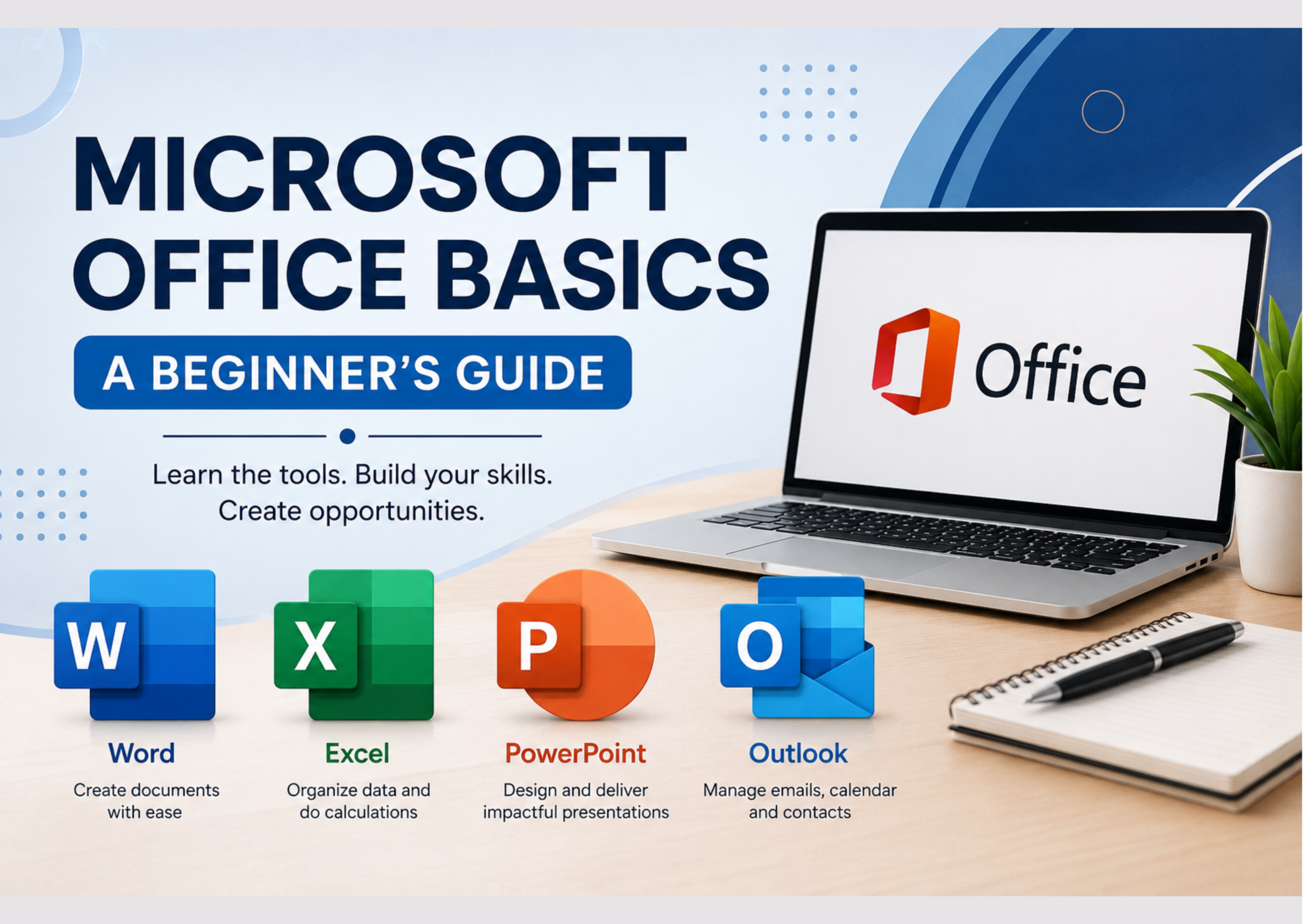
  • Microsoft Office Basics: A Beginner’s Guide

    Microsoft Office Basics: A Beginner’s Guide

    Microsoft Office applications can help you organize your work, manage information, communicate professionally, and present your ideas clearly. Whether you’re preparing documents for clients, tracking business expenses, creating presentations, or managing appointments, these tools can make everyday tasks easier and more efficient.

    For freelancing and small-business owners, digital skills are especially useful for staying organized, serving customers, and managing day-to-day activities. In this beginner-friendly guide, you’ll explore Microsoft Word, Excel, PowerPoint, and Outlook through simple explanations and practical activities you can try for yourself.

    What You’ll Learn

    By the end of this guide, you’ll be able to:

    • Explain what Microsoft Word, Excel, PowerPoint, and Outlook are used for.
    • Create and format simple documents in Microsoft Word.
    • Organize information and perform basic calculations in Microsoft Excel.
    • Create clear, well-organized presentations using Microsoft PowerPoint.
    • Use Microsoft Outlook to manage emails, contacts, calendars, and appointments.
    • Organize and save your digital files using clear file names.
    • Practice basic Microsoft Office skills through simple activities.

    The Microsoft Office Suite

    Microsoft Word

    Microsoft Word is used to create and format documents such as letters, reports, resumés, business proposals, and other written materials.

    Microsoft Excel

    Microsoft Excel is used to organize information in spreadsheets, perform calculations, analyze data, and create charts and tables.

    Microsoft PowerPoint

    Microsoft PowerPoint is used to create presentations using slides that can include texts, images, charts, tables, and other visual elements.

    Microsoft Outlook

    Microsoft Outlook is used to manage emails, calendars, contacts, tasks, and appointments. It can help you organize communication and plan your work.

    Choosing the Right Microsoft Office Tool

    A simple way to remember the difference is: Word is mainly for documents, Excel is for spreadsheets and data, PowerPoint is for presentations, and Outlook is for emails and scheduling.

    Microsoft Word Basics

    Microsoft Word is a word-processing application used to create, edit, and format documents. You can use it to prepare letters, reports, business proposals, client documents, and other written materials. Before exploring advanced features, beginners should learn how to create, edit, format, save, and organize documents.

    Creating a New Document

    Open Microsoft Word and select Blank Document to start a new document. You can then type your content and format it using the tools available in the ribbon.

    Enter and Edit Text

    Click in the document and begin typing. Use Backspace to delete characters to the left of the cursor and Delete remove characters to the right. You can also select text to replace, move, or copy it. These basic editing skills help you correct mistakes and organize your content.

    Format Your Text

    You can change the appearance of your text using options such as font type, font size, bold, italics, underline, text color, and alignment. Use formatting consistently to make your document easier to read. For example, use a clear heading style for titles and readable fonts sizes for the main text.

    Save Your Document

    Use Save or Save As to store your document. Give the file a clear, descriptive name so that you can find it easily later. For example, a file named Meeting_Notes_October_2026 is more informative than one named Document 1. Organize your files into suitable folders to make them easier to manage.

    Practical Activity

    Create a one-page document titled “My Learning Goals.” Add three learning goals, format the title in bold, use a larger font for the heading, and save the document using a clear file name.

    Microsoft Excel Basics

    Microsoft Excel is a spreadsheet application that helps you organize information, perform calculations, analyze data, and create tables and charts. These skills are useful for tracking business expenses, recording sales, managing budgets, and organizing information for freelance projects. Beginners can start with simple tasks and gradually build confidence using spreadsheets.

    Understand the Workbook

    An Excel file is called a workbook, and it can contain one or more worksheets. Each worksheet is made up of rows and columns. The box where a row and a column meet is called a cell. Each cell has an address, such as A1, which helps you to identify where information is stored.

    Enter Information

    Click a cell and type your information. You can enter text, numbers, dates, and formulas. For example, you could create a simple expense sheet with columns for the expense category, date, and column. Entering information in an organized way makes it easier to review and work with your data.

    Use a Simple Formula

    Excel can perform calculations automatically using formulas. For example, enter =SUM(B2:B6)=SUM(B2:B6) in an empty cell to add the values in cells B2 through B6. Make sure the cells contain the numbers you want to add. Formulars can help you calculate expenses, track sales, and manage budgets more efficiently.

    Format Your Data

    You can make your spreadsheet easier to read by changing font styles, adjusting column widths, applying number formats, and using borders or other formatting tools. For example, you can make column headings bold and format amounts as currency to make a budget or expense sheet easier to understand.

    Practical Activity

    Create a simple weekly expense spreadsheet. Enter five expense categories, record an amount for each category, and use a SUM formula to calculate the total. Format the heading and save the workbook with a clear file name.

    Microsoft PowerPoint Basics

    Microsoft PowerPoint is a presentation application that helps you communicate ideas using slides. You can use it to present a business idea, introduce your services to potential clients, explain a project, or deliver training. A clear, well-designed presentation helps your audience understand your message without being distracted by unnecessary details.

    Create a Presentation

    Open PowerPoint and select Blank Presentation or choose suitable template. A presentation consists of individual slides that you can add, arrange, and edit. for example, you could create a short presentation introducing your business, explaining a service, or sharing a project proposal.

    Add and Organize Content

    Add text, image, shapes, charts, or other elements to your slides. Keep each slide focused on one main idea and avoid including too much information. Use short phrases, clear headings, and relevant visuals to help your audience follow your message.

    Choose a Consistent Design

    Use a consistent combination of fonts, colors, and layouts throughout your presentation. Choose readable text sizes, leave enough white space, and use images that support your message. A good design makes your idea easier to understand rather than distracting your audience.

    Present Your Slide

    Use Slide Show or Presenter View to deliver your presentation. Practice moving through your slides and explaining your ideas clearly instead of simply reading the text on the screen. Before presenting, check your slides for spelling errors, readability, and a logical flow of information.

    Practice Activity

    Create a five-slide presentation titled “My Learning Journey.” Include a title slide, three slides describing your goals or experiences, and a final slide summarizing what you hope to achieve. Use a consistent design throughout the presentation.

    Microsoft Outlook Basics

    Microsoft Outlook is an email and personal information management application that helps you organize communication, schedule appointments, and manage your time. Freelancers and small-business owners can use it to communicate with clients, keep track of meetings, organize contacts, and plan important tasks. Learning these basic features can help you manage your work more professionally.

    Send and Receive Email

    Use Outlook to compose, send, receive, reply to, and organize email messages. When communicating with a client or business contact, use a clear subject line, a professional greeting, a concise message, and an appropriate closing. Before sending an email, check the recipient’s address, and confirm that any necessary attachments are included.

    Organize Your Inbox

    Use folders, categories, flags, and search to organize and find important messages. For example, you could create folders for clients, projects, invoices, or business enquiries. A well-organized inbox makes it easier to keep track of conversations and respond to messages promptly.

    Use the Calendar

    Outlook Calendar helps you schedule appointments, meetings, deadlines, and reminders. You can use it to plan client meetings, set time for learning, and organize your weekly workload. Reviewing your calendar regularly can help you stay aware of your commitments and follow through on your plans.

    Manage Contacts

    Save important contact information so you can quickly find and communicate with clients, suppliers, colleagues, and other business contacts. Keep names, email addresses, and other relevant details accurate so that you can reach the right people when needed.

    Practice Activity

    Create a sample professional email. Write an appropriate subject line, greet the recipient, write a short message, and include a professional closing. Then create a calendar appointment for a future learning activity.

    Microsoft Office Keyboard Shortcuts

    Keyboard shortcuts let you perform common actions quickly without using menus. Learning a few shortcuts can save time when working in Word, Excel, PowerPoint, and other applications.

    Essential Microsoft Office Shortcuts

    The core keyboard shortcuts used constantly in almost every program are:

    • Ctrl + C – Copy selected text or items.
    • Ctrl + X – Cut selected text or items.
    • Ctrl + V – Paste copied or cut items.
    • Ctrl + Z – Undo your last action.
    • Ctrl + S – Save your work.

    Putting Your Microsoft Office Skills Together

    Microsoft Office applications become even more useful when you use them together. For example, you might create a report in word, analyze supporting information in Excel, present your findings in PowerPoint, and communicate the results through Outlook.

    You don’t have to master every feature at once. Start with tasks you need to complete, practice regularly, and build your skills gradually. As your confidence grows, you can explore more advanced features to support your freelance work or business.

    Your Next Step

    Choose one Microsoft Office application and practice one skill today. For example, create a simple document in Word, record a few expenses in Excel, prepare a short presentation in PowerPoint, or schedule a learning activity in Outlook.

    Start with a simple task, repeat it until you are comfortable, and then gradually introduce new features. Consistent practice is one of the best ways to build digital confidence and develop skills you can use in your freelance work or business.

    Learn skills. Build opportunities.

  • Welcome to Jobaddoo: Learn Skills. Build Opportunities.

    Welcome to Jobaddoo: Learn Skills. Build Opportunities.

    Welcome to Jobaddoo, a practical learning space for people who want to develop useful skills, explore freelancing, and learn how to start and grow a business.

    Whether you’re hoping to offer services to clients, turn an idea into a business, or become more confident using digital tools, Jobaddoo provides beginners-friendly guidance to help you take the next step.

    You don’t have to know everything before you begin. start where you are, learn by doing and build your opportunities one step at a time.

    Why Jobaddoo?

    Jobaddoo helps you turn learning into practical action. Here, you can:

    • Develop useful skills: Learn practical digital and professional skills that you can use in freelancing, business, and everyday work.
    • Explore opportunities: Discover ways to offer services, develop ideas, and useful digital tools to support your goals.
    • Take practical steps forward: Follow beginner-friendly guides that help you build confidence, apply what you learn, and work towards greater independence.
    • Turn commitment into action: Set realistic goals, make time for learning, and follow through on the plans you make. Small, consistent actions can help you turn what you learn into meaningful progress.

    At Jobaddoo, progress starts with small, practical steps. You can learn at your own pace and build on each skill as you grow. The

    What You Will Find Here

    At Jobaddoo, you’ll find practical, beginner-friendly resources to help you learn, practice, and take action.

    • Freelancing and Flexible Work: Explore services you can offer, ways to build your skills, and steps toward working independently.
    • Starting and Growing a Business: Learn about business ideas, understanding customers, branding, and marketing.
    • Digital and Practical skills: Develop your skills with tools such as Canva and Microsoft Office to support your work or business.
    • Personal Growth: Building confidence, strengthen your habits, and learn to follow through on your goals.

    Our aim is to help you turn knowledge into practical action, one step at a time.

    Let’s Learn and Grow Together

    Whether you’re starting from scratch, sharpening your skills, exploring freelancing, or developing a new business idea, Jobaddoo is here to support you.

    Together we’ll keep learning, putting our knowledge into practice, and building new opportunities – one step at a time.

    Remember, progress doesn’t come from learning alone. It comes from taking action, following through on your commitments, and building on what you learn.